Plan
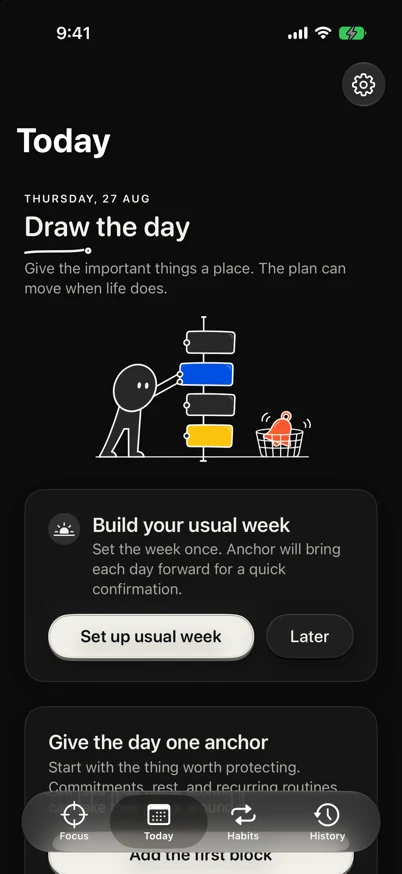
Draw the day in time.
Today shows the day as a chronological rail, keeps gaps visible, and distinguishes a one-off adjustment from a change to the usual week.
Plan. Focus. Adapt.
A private day planner and focus timer for people moving between Mac, iPhone and Apple Watch who want to learn why the day they lived differed from the plan.

Draw the day first: see open time, build the usual week, and keep today-only changes explicit.
PlanDraw the day in time.
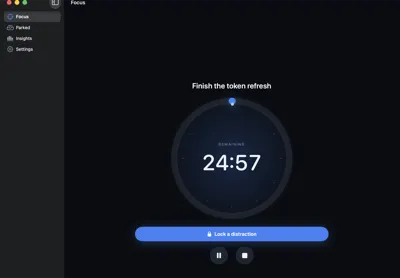
FocusProtect the current block.
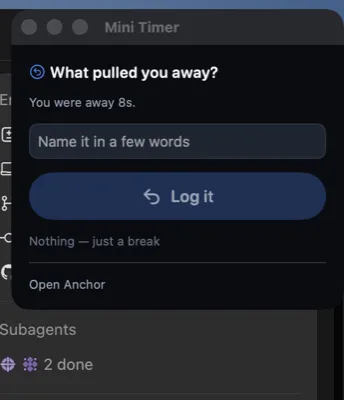
CaptureName what moved the day.
Look inside
Build 29 is available as a notarized Mac beta. Invite-only TestFlight remains on its separately processed build, and there is no public App Store listing yet. Distraction notes never enter the Hub, analytics, telemetry, or a cloud model.
A plan is only useful if it can survive reality.
Anchor schedules the day, protects the current block, captures what changed, and gives that evidence back when you plan tomorrow.
One daily loop
Schedule the day, protect the current block, then review the difference without turning it into a score.
Plan
Today shows the day as a chronological rail, keeps gaps visible, and distinguishes a one-off adjustment from a change to the usual week.
Focus
Anchor offers the current or next scheduled block, keeps time from the wall clock, and makes interruption capture immediate.
Capture
Coming back captures the interruption. “Nothing, just a break” stays one key away.
History
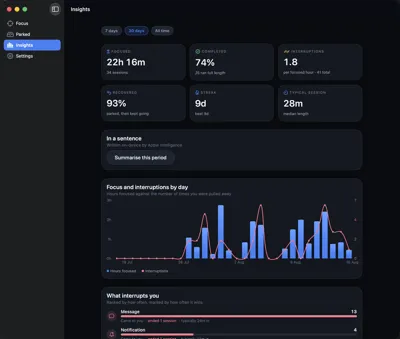
Deliberate changes, internal pulls, external interruptions, human needs, estimation errors, and unknown gaps stay distinct.
An honest fit
A fit Anchor fits if you want one place to schedule the day, focus on the present block, and learn why the plan changed.
Not a fit It is not a website blocker, a social productivity feed, or a moral score for how closely you followed a plan.
Private by construction
Full Anchor data stays local or in your private iCloud database. Optional Hub sync sends only finished-session summaries and never distraction notes, plans, or behavior selections.
Read the plain-language privacy policyNo. Anchor is fully usable without one. A Significant Hobbies Hub account is optional and only adds finished-session summary visibility.
Not yet. This site will not show Apple’s App Store badge until a live apps.apple.com page exists.
Yes. The Mac beta is Developer ID signed, hardened, notarized by Apple, and requires macOS 26 or later.
Mac, iPhone, and Apple Watch. The landing uses real captures from those apps.
“I wanted the interruption filed before I had agreed to it.”
— Sarthak Agrawal, creator of Anchor
An independent app from Significant Hobbies.